
How to Install HotFansDownload for OnlyFans
HotFansDownload is a lightweight, private, and 100% client-side OnlyFans video & photo downloader for Google Chrome. Install it easily by downloading the offline ZIP package and loading the unpacked extension in Chrome Developer Mode.
Security & Safety Guarantees
- 🛡️ VirusTotal Certified Clean: 0/64 threat detections across all antivirus scanners.
- 🔒 100% Client-Side Execution: Zero password or cookie harvesting. All media indexing and downloads run strictly inside your local browser.
- ⚡ Free Trial Included: Download 2 full videos instantly to verify quality before purchasing — no credit card or account registration required.
STEP 1: Download the Extension Package (v1.0.0 ZIP)
HotFansDownload Chrome Extension (v1.0.0 ZIP)
🔒 100% Client-Side Executed • Zero Password/Cookie Harvesting • Free Trial (2 Videos)
STEP 2: Extract the ZIP File
After downloading the extension packaged as a .zip file, right-click and extract the files into its own folder.
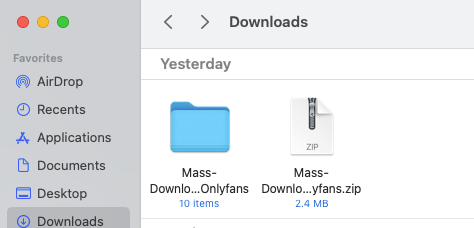
STEP 3: Open Chrome Extensions Page
In Google Chrome, type chrome://extensions/ in the address bar and press Enter.
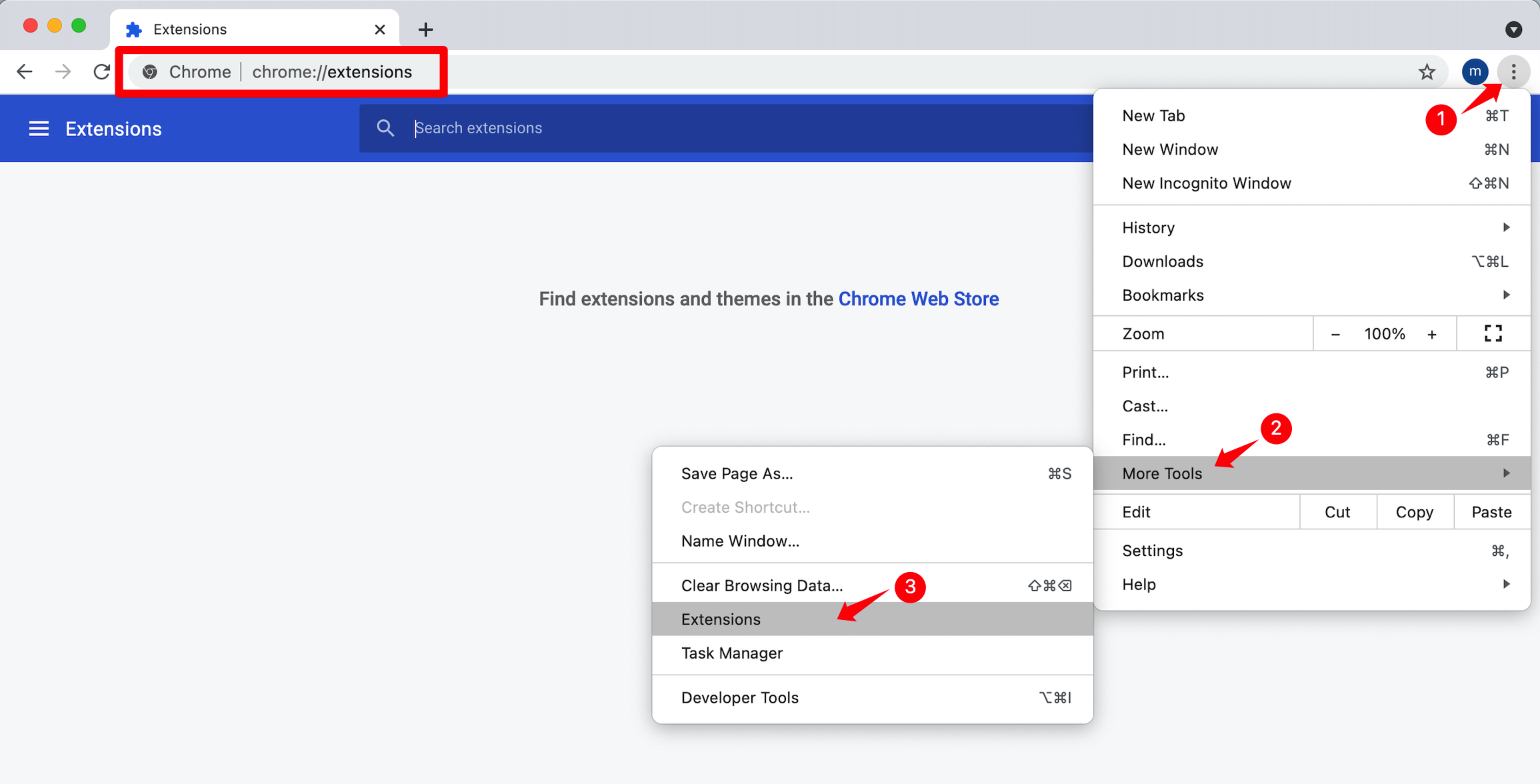
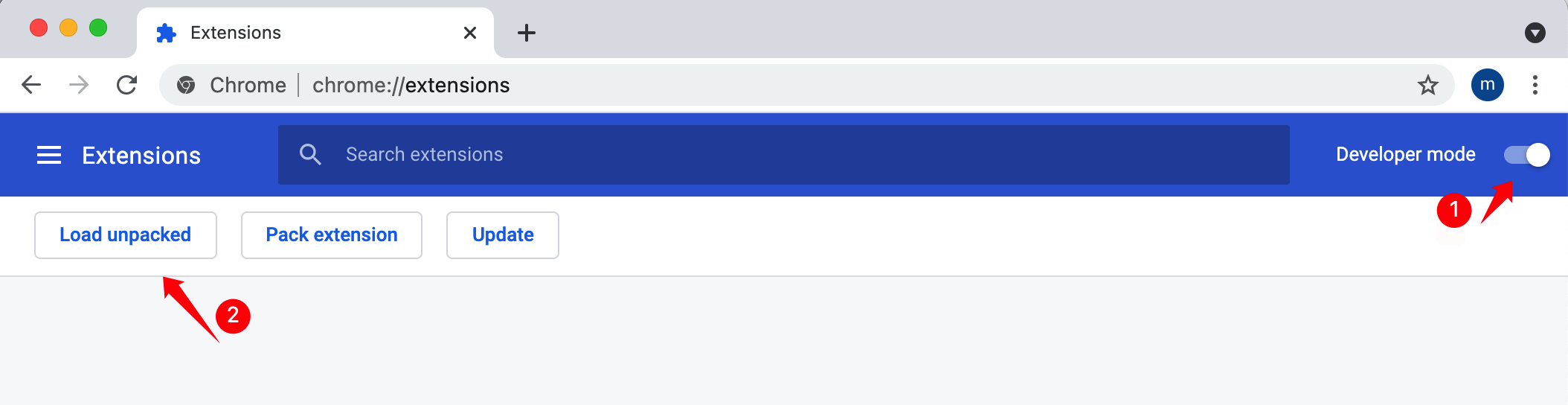
STEP 4: Enable Developer Mode & Load Unpacked
- In the top-right corner of
chrome://extensions/, toggle on Developer mode. - Click the Load unpacked button in the top-left corner.
- Select the extracted
HotFansDownloadfolder containingmanifest.json.
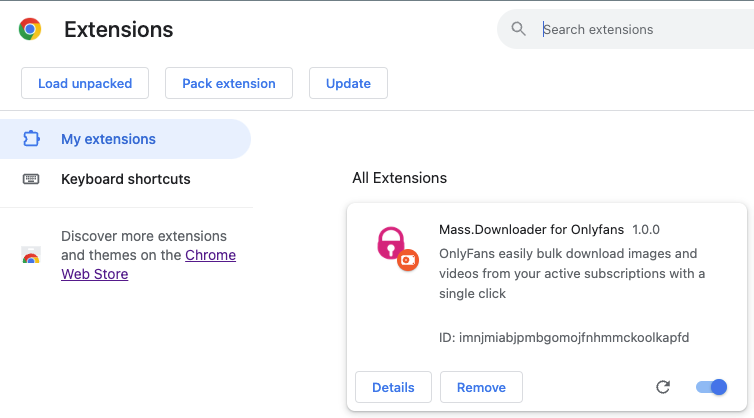
💡 Note: Once loaded, the extension will be listed as Mass.Viewer in your Chrome Extensions manager (
chrome://extensions).
STEP 5: Installation Complete
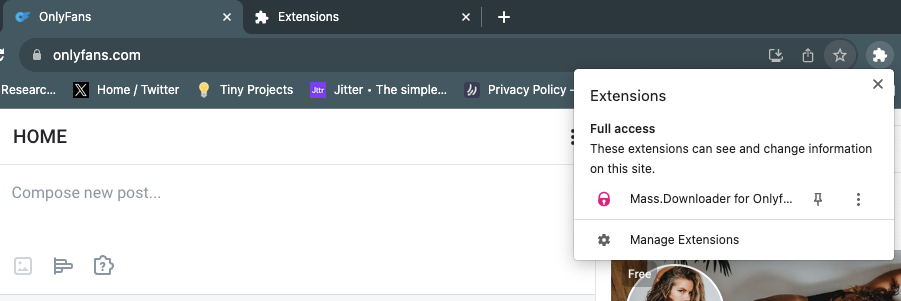
You should now see the extension successfully loaded into Chrome!
STEP 6: Pin Extension to Toolbar
Click the Chrome extensions menu icon (puzzle piece) in the top-right toolbar and pin Mass.Viewer / HotFansDownload for quick 1-click access when browsing OnlyFans.
Frequently Asked Installation Questions
Why is HotFansDownload installed via ZIP (Side-load)?
Side-loading via ZIP package ensures uninterrupted access, full feature updates, and active DRM media decoding without browser store policy delays or unexpected extension removals.
Is enabling Chrome Developer Mode safe?
Yes. Developer Mode is an official built-in Google Chrome feature designed for running local extensions. It does not alter system security or expose your browser to external risks.
Will creators know I am downloading their media?
No. HotFansDownload operates 100% locally inside your browser and reads media streams that your active account already has permission to view. It does not send alerts or notifications to creators.
Next Steps & Feature Guides
Once installed, continue with these guides:
- Bulk OnlyFans Downloader guide — save multiple videos and photos in one session
- Large download jobs — tips for stable batch downloads and resume
- Download posts, purchased content, and media — choose the right content source
- HotFansDownload features — overview of what the extension can do
Contact
If you have any questions, please feel free to contact us: